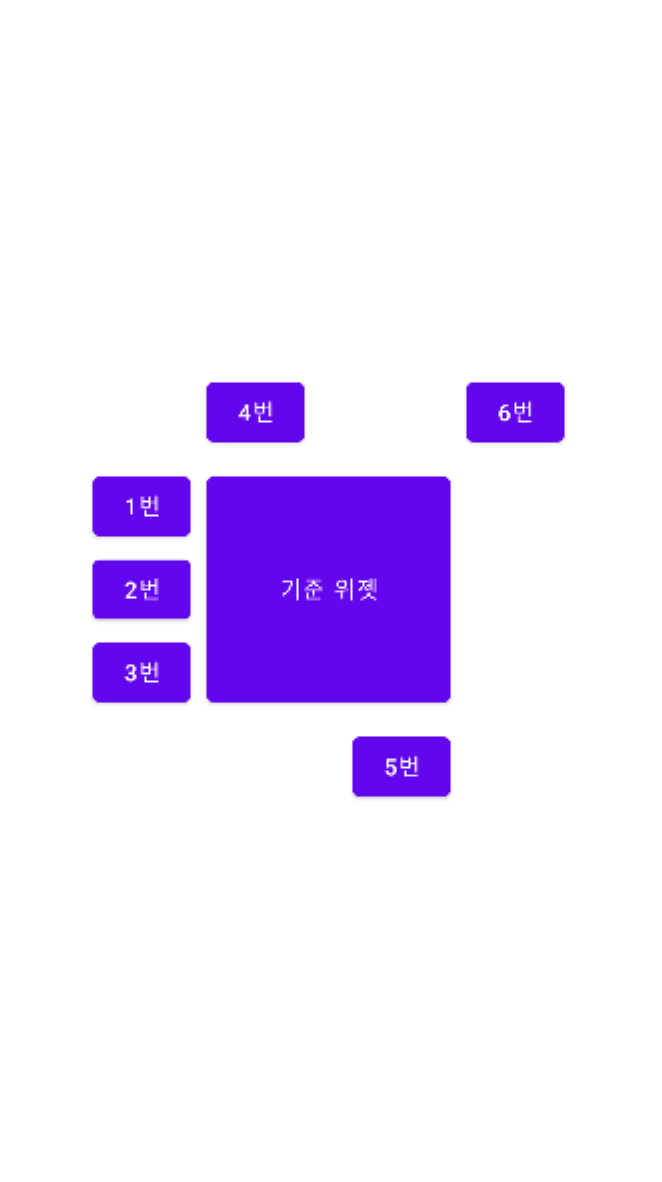
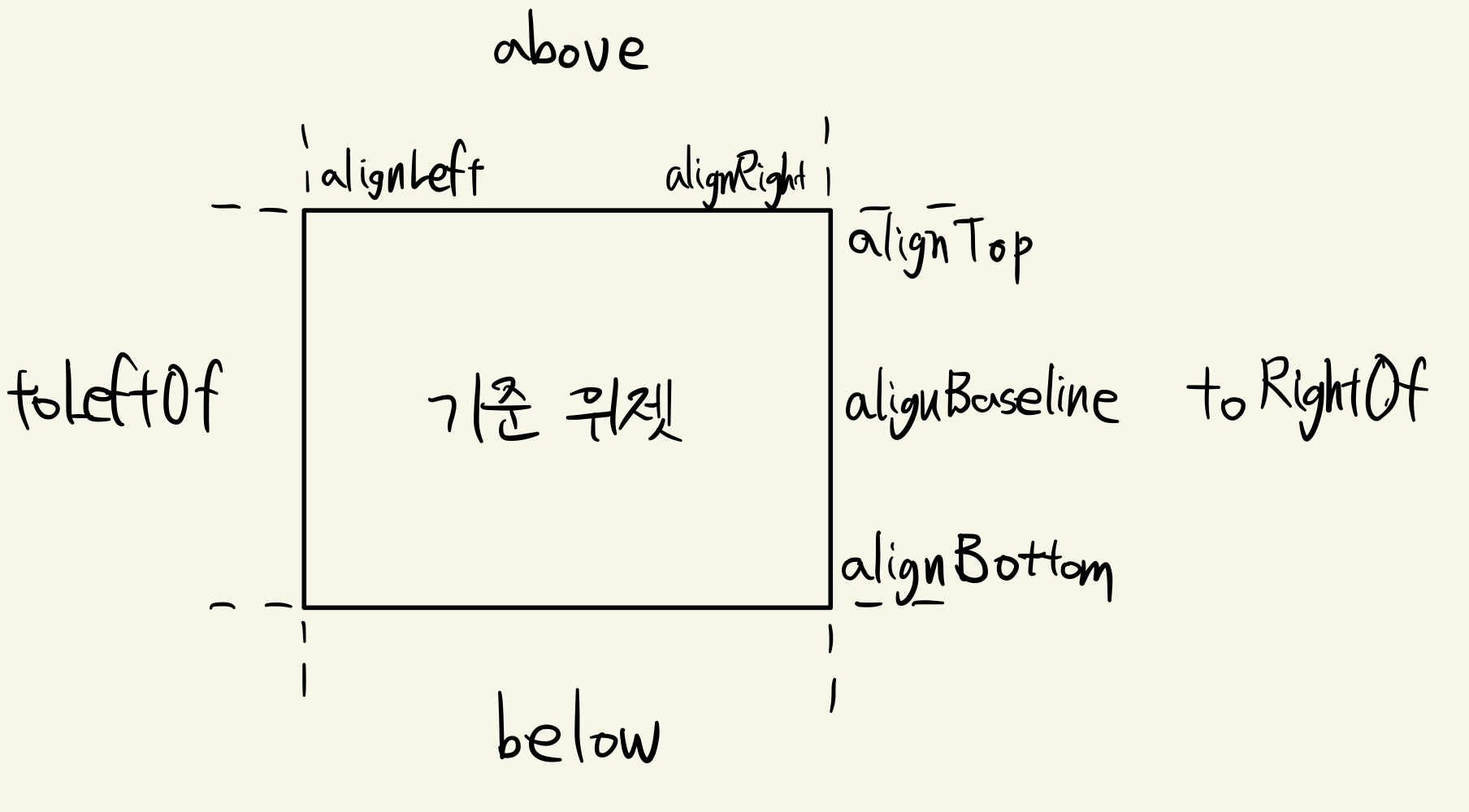
 다른 위젯의 상대적인 위치를 적용할 때의 속성
<?xml version="1.0" encoding="utf-8"?>
<RelativeLayout xmlns:android="http://schemas.android.com/apk/res/android"
    xmlns:app="http://schemas.android.com/apk/res-auto"
    xmlns:tools="http://schemas.android.com/tools"
    android:layout_width="match_parent"
    android:layout_height="match_parent"
    tools:context=".MainActivity">
    <Button
        android:id="@+id/stand"
        android:layout_height="150dp"
        android:layout_width="150dp"
        android:layout_margin="10dp"
        android:text="기준 위젯"
        android:layout_centerInParent="true">
    </Button>
    <Button
        android:layout_height="wrap_content"
        android:layout_width="60dp"
        android:text="1번"
        android:layout_alignTop="@+id/stand"
        android:layout_toLeftOf="@+id/stand">
    </Button>
    <Button
        android:layout_height="wrap_content"
        android:layout_width="60dp"
        android:text="2번"
        android:layout_alignBaseline="@+id/stand"
        android:layout_toLeftOf="@+id/stand">
    </Button>
    <Button
        android:layout_height="wrap_content"
        android:layout_width="60dp"
        android:text="3번"
        android:layout_alignBottom="@+id/stand"
        android:layout_toLeftOf="@+id/stand">
    </Button>
    <Button
        android:layout_height="wrap_content"
        android:layout_width="60dp"
        android:text="4번"
        android:layout_above="@+id/stand"
        android:layout_alignLeft="@+id/stand">
    </Button>
    <Button
        android:layout_height="wrap_content"
        android:layout_width="60dp"
        android:text="5번"
        android:layout_below="@+id/stand"
        android:layout_alignRight="@+id/stand">
    </Button>
    <Button
        android:layout_height="wrap_content"
        android:layout_width="60dp"
        android:text="6번"
        android:layout_above="@+id/stand"
        android:layout_toRightOf="@+id/stand">
    </Button>


</RelativeLayout>
실행화면